Attendance & Smart Entry
Walk in. Checked in. Parents already know.
Face-recognition kiosks at the gate, period-wise marking in the classroom, biometric or manual fallback, and an alert to the parent before the first bell — all writing to one attendance ledger.
Outcome figures are what we plan each rollout against, not a guarantee — ask us how they are measured.
Capabilities
What Attendance actually does
Six things this module handles that otherwise land on somebody’s desk, in a spreadsheet, or in a WhatsApp group.
Face recognition
Consent-based enrolment with liveness checks, running on your own campus hardware — not a third-party cloud.
Period-wise marking
Subject teachers mark in seconds from a phone or tablet, with last period’s list pre-filled and only exceptions to change.
Works offline
The gate kiosk keeps recording when the internet drops and syncs the queue the moment it returns. No lost mornings.
Absence alerts
Parents of absent students are notified automatically, so a child who never arrived is known about immediately.
Shortage tracking
Live attendance percentage per student against your board’s minimum, with early warnings well before the deadline.
Staff attendance
The same kiosks handle staff check-in and feed leave balances and payroll without a second device.
The gate
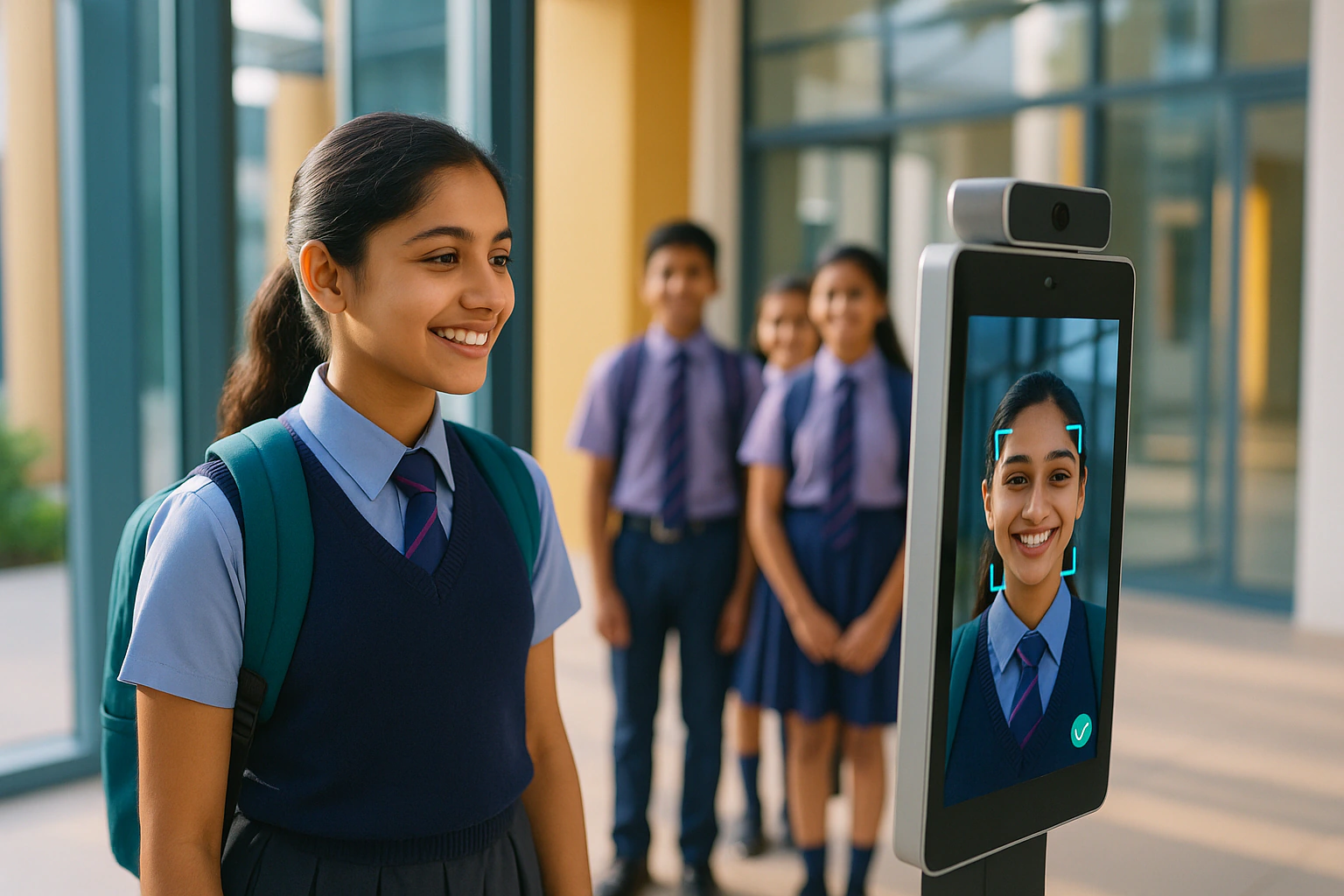
A kiosk that recognises a thousand students before assembly.
Students walk past, the kiosk recognises them, attendance is written and the parent alert queues. No cards to lose, no queue to form, no shared surface to touch.
- Sub-second recognition
- Liveness detection
- Offline queue and auto-sync
- Consent recorded per student
The classroom
Marking a period should take fifteen seconds.
Open the class, the list is already there in seating order, tap only the absentees, submit. Late arrivals can be corrected without an argument with the system.
- Period-wise or day-wise
- Corrections with reason and audit
- Substitute-teacher access
- Works on any phone

How it works
From nothing to running, in four steps.
Configuration and training are part of implementation, not a separate engagement you discover later.
The full implementation planEnrol faces with consent
Guided capture from multiple angles, with the parent’s consent recorded against the student.
Place the kiosks
Gate, block entrances or classroom doors — as many as you need, each mapped to a location.
Mark and correct
Teachers handle period-wise marking; the office handles corrections with a reason attached.
Alert and analyse
Parents get told, and leadership sees shortage risk building weeks before it becomes a problem.
What changes
The difference after a term.
Not what the module contains — what is measurably different about the way your institution runs once it has been in use for one full term.
- Registers replaced, not digitised
- Parents informed the same morning
- Shortage caught early
- One ledger for students and staff
Questions
Asked about Attendance
Face templates are stored on infrastructure you control in the India region, never shared with a third-party recognition service, and are deleted when a student leaves. Enrolment requires recorded parental consent.
The kiosk keeps recognising and recording locally into an offline outbox, and pushes the queue as soon as connectivity returns. A morning of attendance is never lost.
Most institutions are live within two to four weeks. Your launch team handles data migration from spreadsheets or your existing vendor, configures roles, and runs role-based training before go-live — you are never handed a blank system and left to fill it.
Yes. Every CampusHubAI product runs standalone, and every product also reads from the same student, staff and academic-year records. Start with Attendance, add the rest when you are ready — there is no re-implementation and no second data migration.
Works well with
Modules that share the same record
These are not integrations. They read and write the same student, staff and academic-year data, which is why they agree with each other.
All productsGet started
See Attendance with your own data.
Forty-five minutes, no slide deck. Bring an export and we will show you the module running against your records.